

EVEBOT Handheld Food PrintPen Portable Mini Coffee Latte Art Printer, Macaron Cookie DIY Design PrintPen Bluetooth 4.2
3 Black Inks Set
$369.66
Passa alle informazioni sul prodotto




EVEBOT Handheld Food PrintPen Portable Mini Coffee Latte Art Printer, Macaron Cookie DIY Design PrintPen Bluetooth 4.2
$369.66
SPECIFICATIONS
Battery Included: Yes
Brand Name: NONE
Control Method: App
Double-sided Printing: No
High-concerned chemical: none
Origin: Mainland China
Paper Feed Mode: Automatic and manual
Print Speed: 20ppm
Signal Connection Type: Bluetooth
Supports Network Printing: Wired/Wireless
Type: Multifunctional
Voltage: 100-240V
EVEBOT Handheld Food PrintPen Portable Mini Coffee Latte Art Printer, Macaron Cookie DIY Design PrintPen, Christmas Gifts Bluetooth 4.2
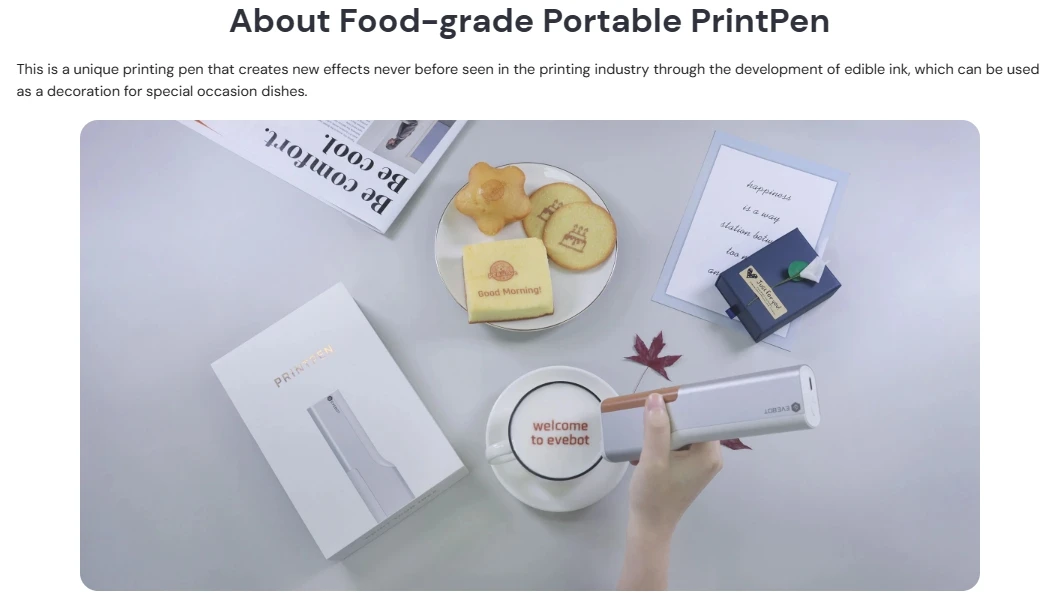
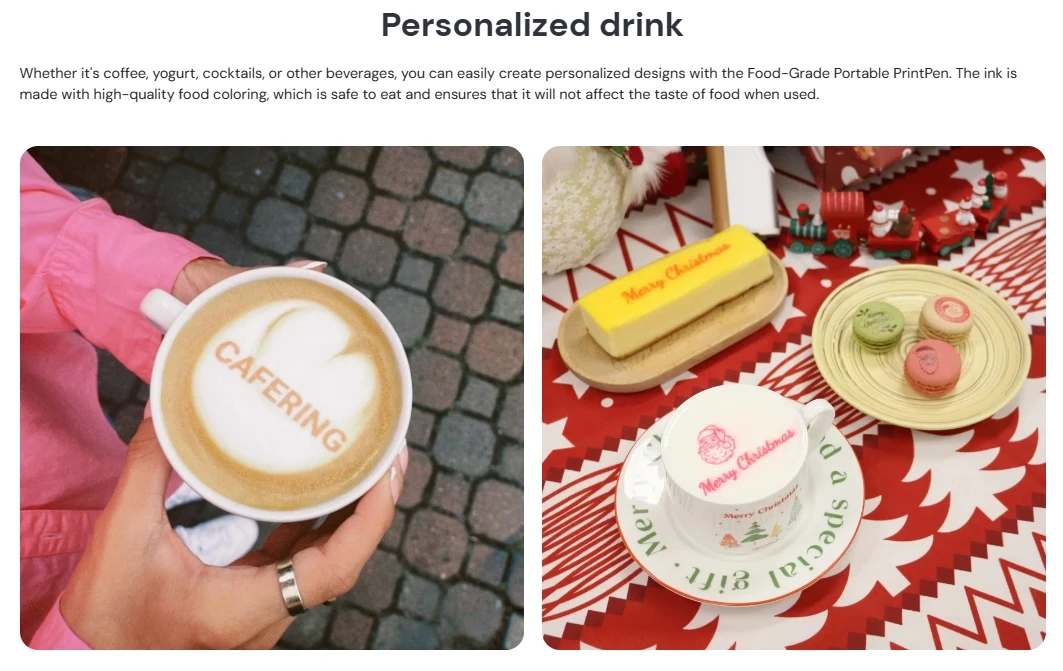
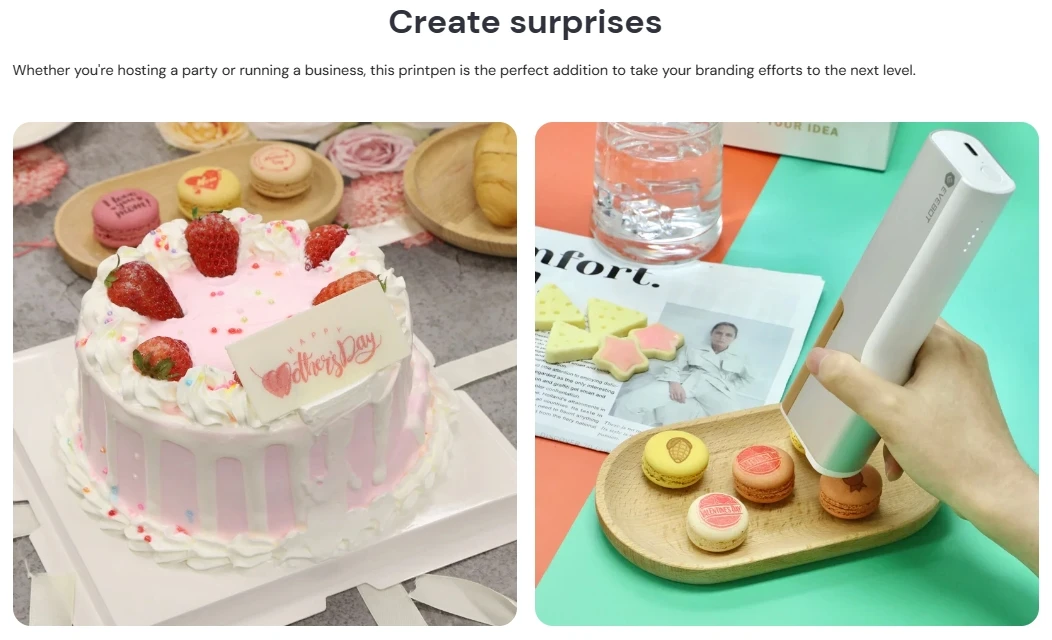
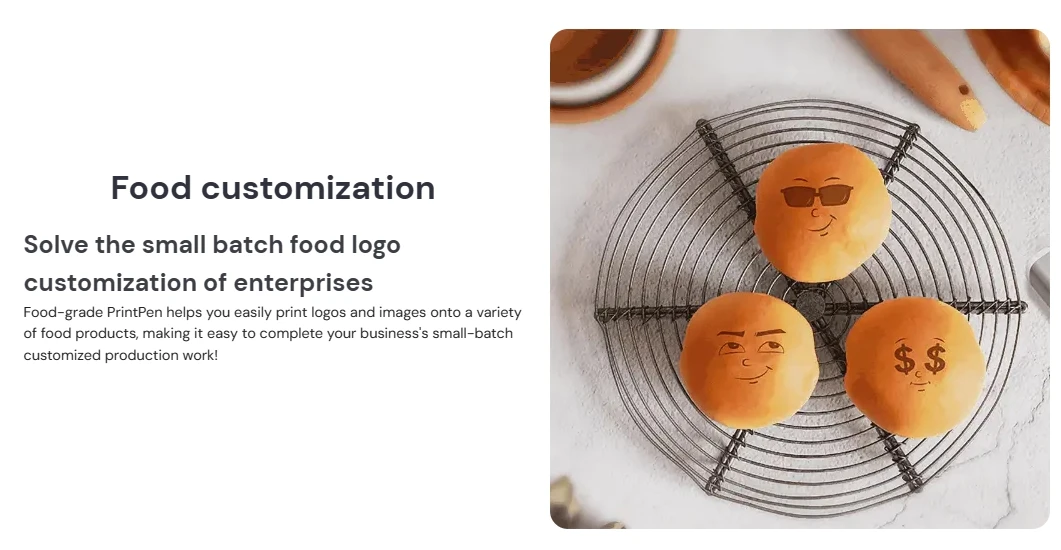
The Evebot Food-grade Portable PrintPen is a handheld inkjet printer made specifically for food surfaces. The ink used is food-grade, safe, odorless. Perfect for coffee, macarons, cakes, and more, this safe and portable printing tool will help you add personalised embellishments to your culinary creations.
Specifications:
Brand: EVEBOT
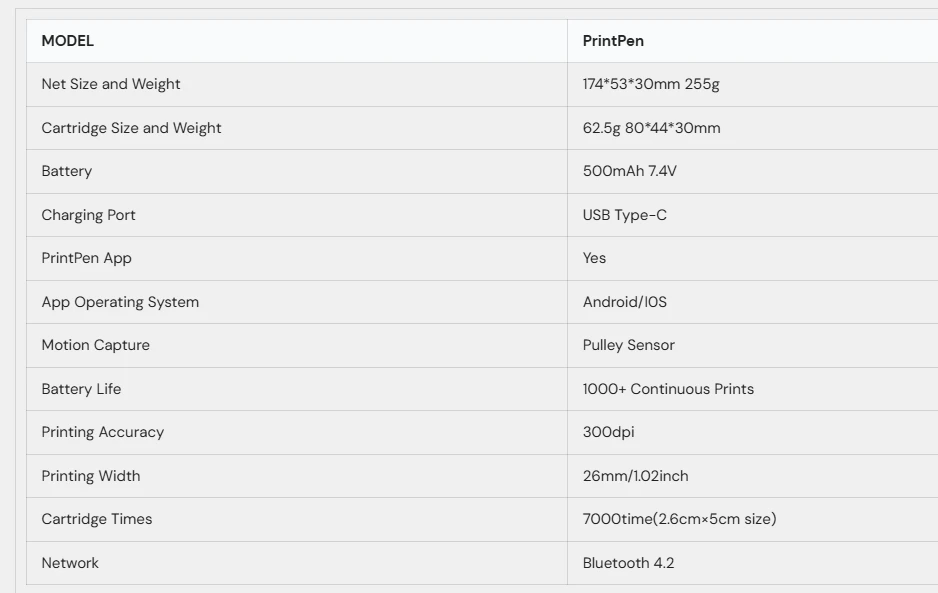
Charge Port: TYPE-C
Network: WIFI, 802.11 b/g/n
Cell: 1 * Lithium Cell, 7.2V 1200mAh (included)
Motion Capture: Roller Sensor
Applicable System: Android / iOS
Style: Black Ink Case, Red Ink Case, Navy Blue Ink Case, Printer With Navy Blue Ink Case (optional)
Precision: 300dpi
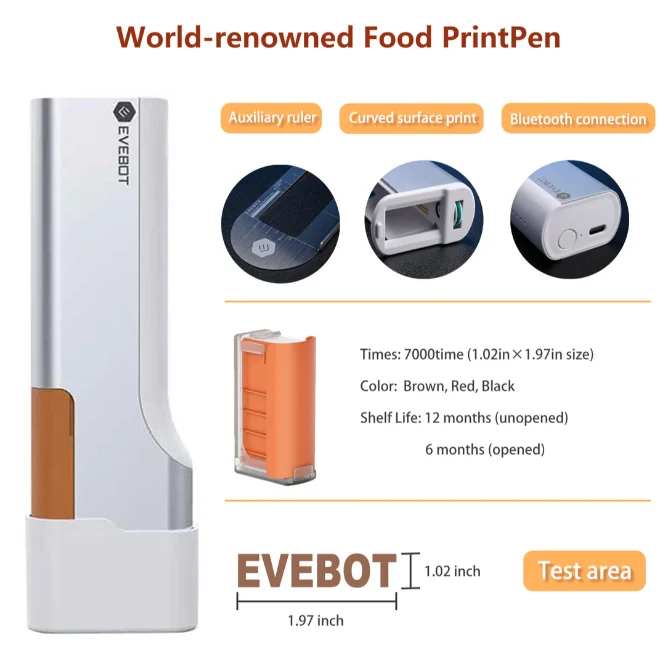
Print Head Width: 26mm / 1.02in
Usage Times: About 3500 Times
Package Weight:
100g / 3.53ounces
255g / 8.99ounces
Package Size:
53 * 30 * 10mm / 2.09 * 1.18 * 0.39in
174 * 53 * 30mm / 6.85 * 2.09 * 1.18in
Brand: EVEBOT
Charge Port: TYPE-C
Network: WIFI, 802.11 b/g/n
Cell: 1 * Lithium Cell, 7.2V 1200mAh (included)
Motion Capture: Roller Sensor
Applicable System: Android / iOS
Style: Black Ink Case, Red Ink Case, Navy Blue Ink Case, Printer With Navy Blue Ink Case (optional)
Precision: 300dpi
Print Head Width: 26mm / 1.02in
Usage Times: About 3500 Times
Package Weight:
100g / 3.53ounces
255g / 8.99ounces
Package Size:
53 * 30 * 10mm / 2.09 * 1.18 * 0.39in
174 * 53 * 30mm / 6.85 * 2.09 * 1.18in
Features:
Delicate shape, mini size, portable to use.
Wifi connection, intelligent can storage multiple shape pattern to printing.
Connection channel is stable, no flashing.
Replaceable ink cartridge, simple to change.
Charge to use, built-in large capacity cell, lengthen machine work time, energy saving.
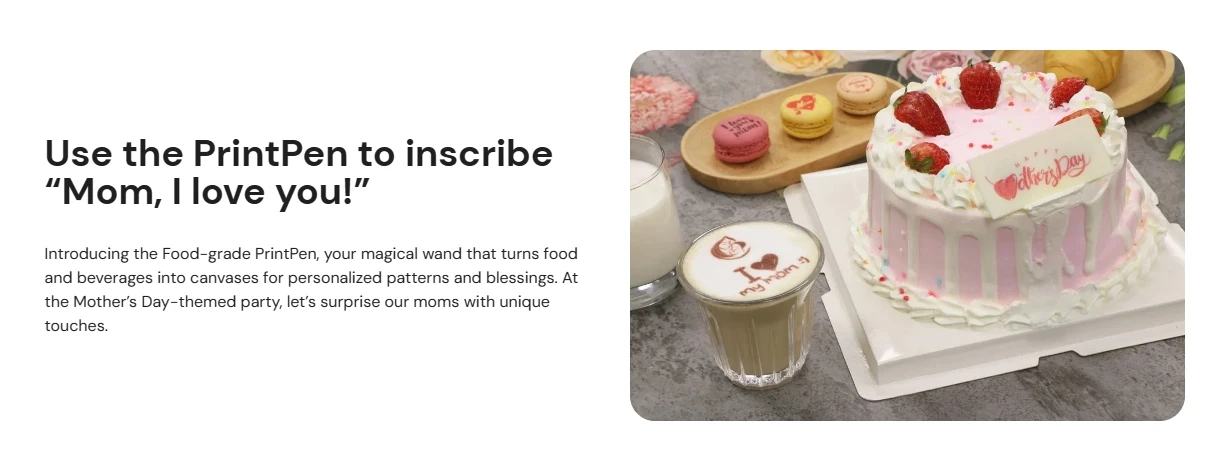
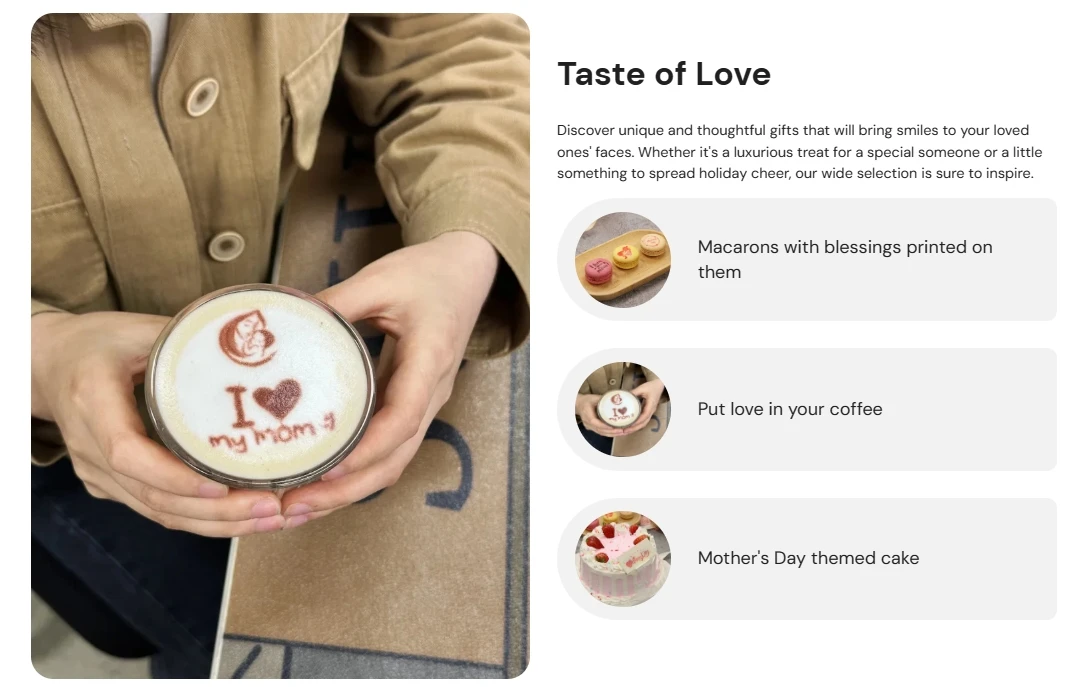
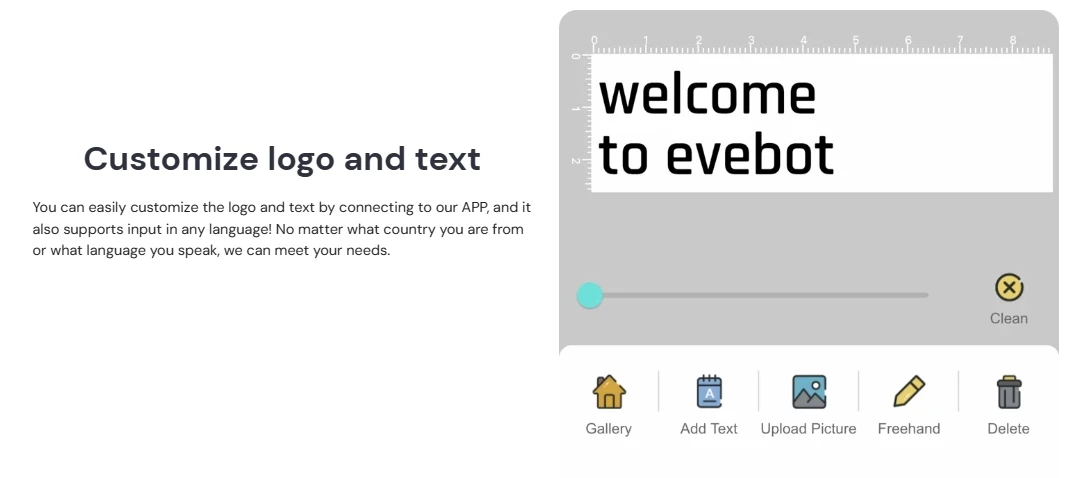
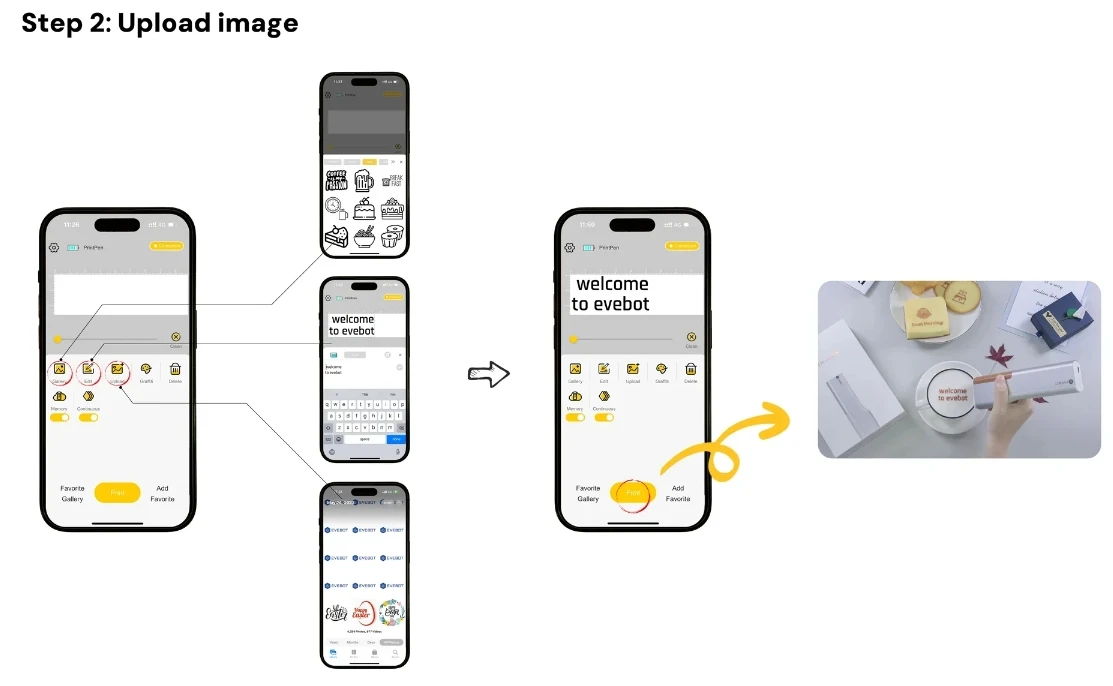
Versatile: PrintPen is perfect for customizing images, text, logos, dates, QR codes, barcodes, and other personalized designs on foamed drinks like lattes and cappuccinos, as well as on sweet treats like cookies and macarons
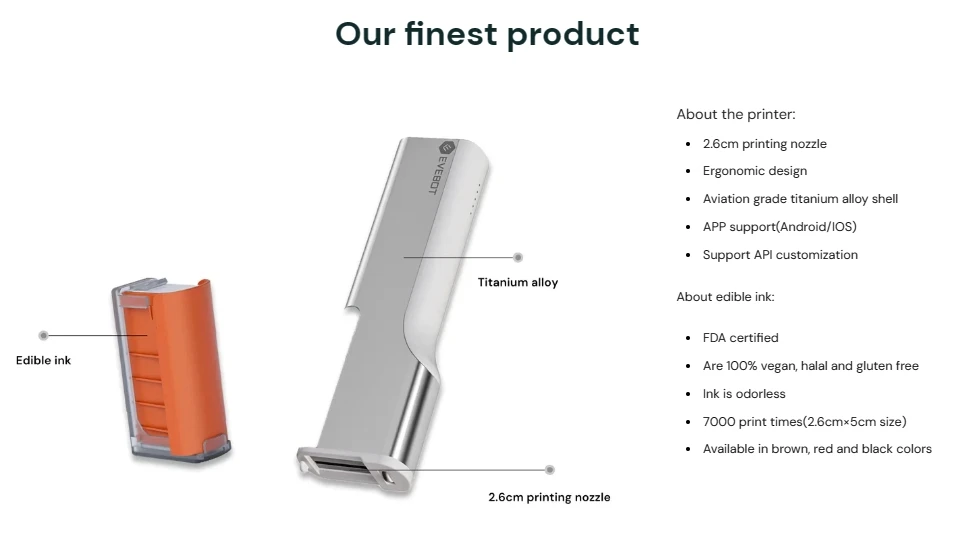
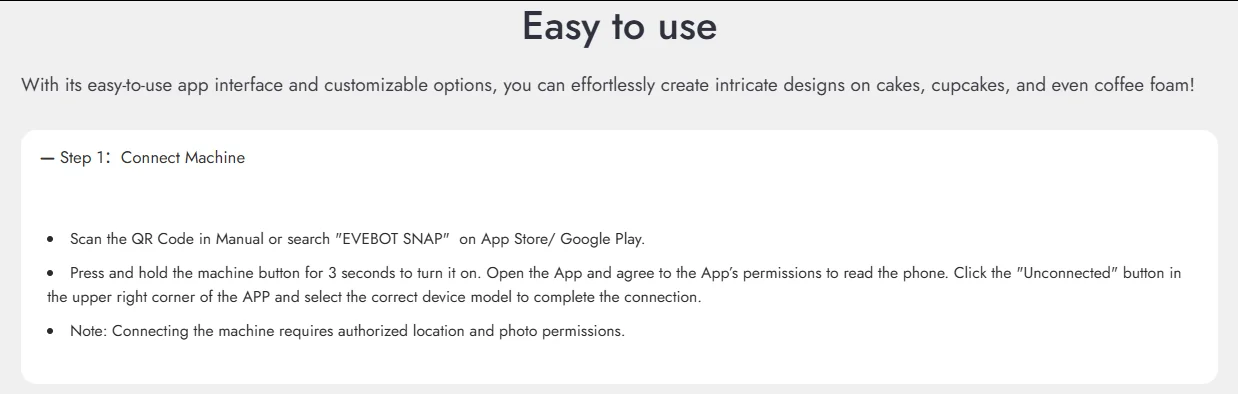
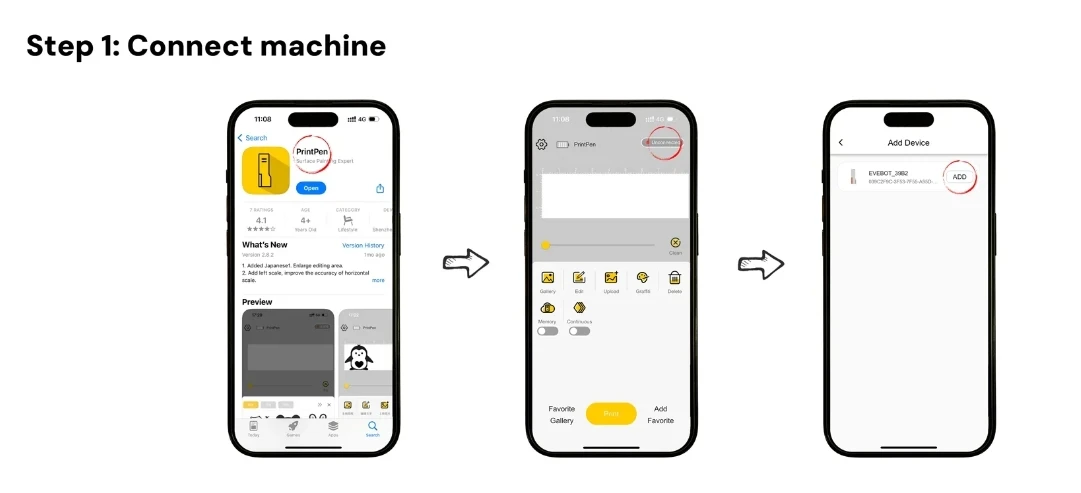
Easy to Carry: PrintPen features a compact design with dimensions of 174 x 53 x 30 mm and weighs just 255 grams, making it easy to carry. It has a maximum usage of 7,000 times (size: 26 mm x 50 mm). The app name is EVEBOT SNAP. Connectivity: Bluetooth 4.2
Efficient Operation: PrintPen uses roller sensor technology to print on curved surfaces. The device has a memory function, so even if you restart the machine, it can continue printing the most recently uploaded design
Troubleshooting: If the print pattern is incomplete, the ink cartridge may be clogged. Gently wipe the nozzle with a tissue in one direction. If the machine is not used for 2-3 days, remove the ink cartridge and place it in the protective clip; do not leave it out. Unopened ink cartridges can be stored for 12 months. Once opened, please use within 6 months
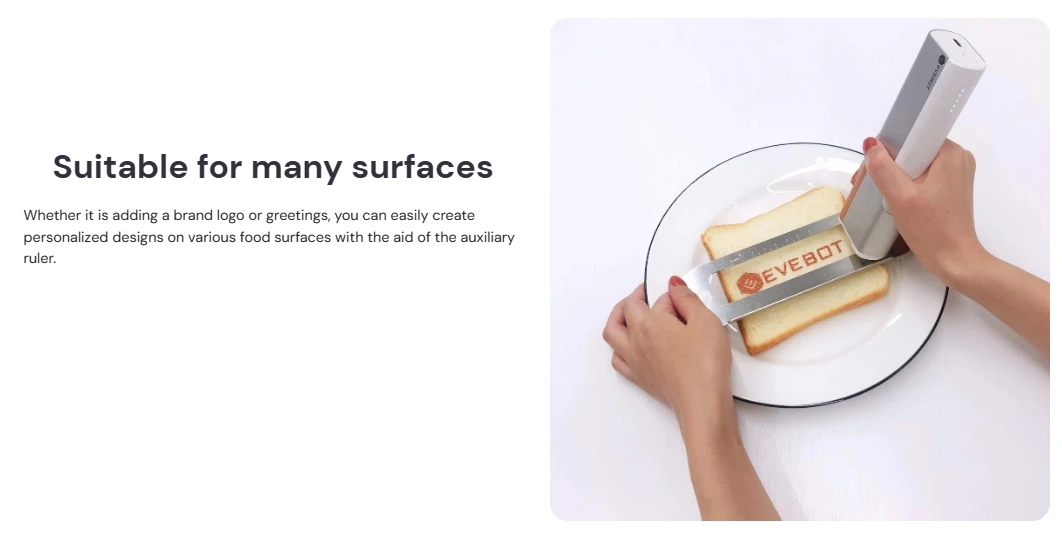
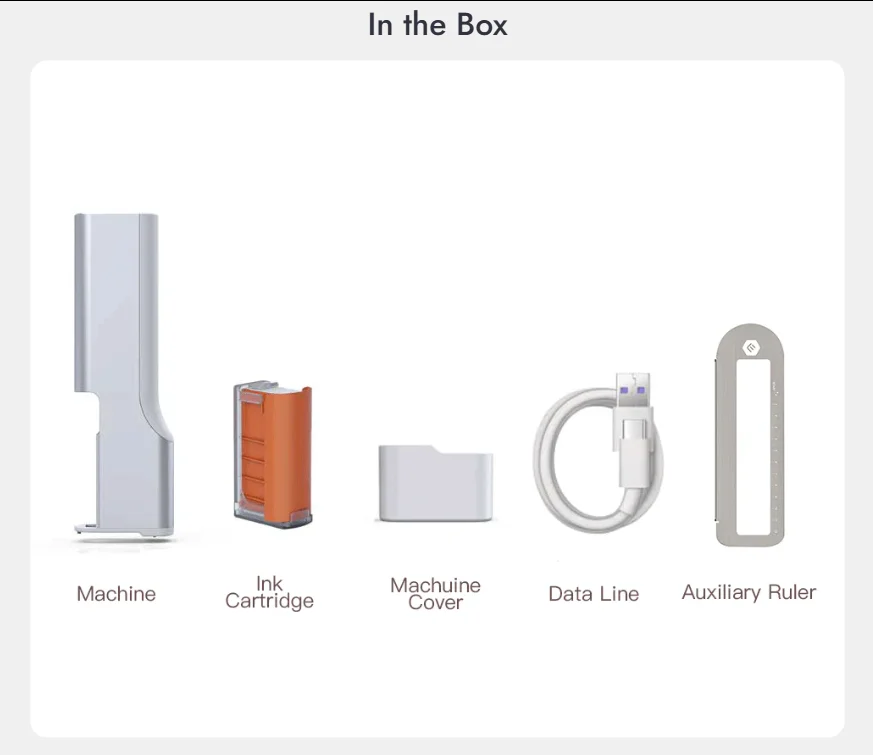
Auxiliary Ruler: Due to PrintPen's roller sensor technology, the pattern will only start to appear after sliding to the right by one device width. The starting position is at the horizontal scale 0 (START) on the ruler. Align the machine with the left edge of the auxiliary ruler, and the roller should be close to the raised bottom of the ruler
Printing Surface Tips: For best results, use fine, dense foam or thick liquids like yogurt. The surface should be level with the cup rim. Avoid shallow or uneven surfaces, as ink may blur. Food surfaces must be clean, flat, and hole-free.
FAQS
What can PrintPen print?
Any absorbent food is a good canvas for PrintPen - from macarons, cookies (royal icing cookies), cakes or burgers. You can also print on frothy drinks such as lattes and cappuccinos, milkshakes, beers or cocktails. For best results, fill your glass to the brim.
Do I need special training to operate PrintPen?
Learning to operate the PrintPen is simple and intuitive. You’ll find all the information you need in our short instruction manual, as well as helpful how-to videos on our Youtube channel. It really is that easy.
How many times can a single ink cartridge print?
PrintPen’s edible ink cartridge can print about 7,000 patterns in a size of 26mm×50mm.
The exact number will vary based on a number of factors, including the type of design (large images use more ink than simple line art designs) and storage conditions such as temperature and humidity.
The exact number will vary based on a number of factors, including the type of design (large images use more ink than simple line art designs) and storage conditions such as temperature and humidity.
Does Evebot Food Safety Certification comply with industry regulations?
Yes. Evebot are tested, regulated, and certified in accordance with the most relevant and rigorous global food safety standards.
Will ink affect the taste of food or drinks?
Not at all. Whether it’s a latte, a macaron, or a cake – our plant-based ingredients will not affect the taste of your food or drink.
What languages does Evebot PrintPen support?
Evebot PrintPen APP supports multiple language pages: English, Japanese, Korean and Chinese.
Additionally, you can upload and print text in any language, depending on your mobile device's input method.
Additionally, you can upload and print text in any language, depending on your mobile device's input method.
Why are the images and text I print blurry?
Inkjet printers require routine maintenance and maintenance of ink cartridges to ensure print quality and longevity. Since the nozzle is at the nanometer level, it is easy to be blocked by the dust layer if it is exposed to the air for a long time, and the ink will also dry out and block the nozzle. In order to reduce the occurrence of this situation, we recommend that you press and wipe the nozzle of the ink cartridge several times with a paper towel before each use, and then install it for use.
When the machine is not used for a long time, it is recommended that you remove the ink cartridge and buckle the buckle of the ink cartridge to keep it sealed, which can better prevent ink drying and dust from entering, and effectively prolong the service life of the ink cartridge.
When the machine is not used for a long time, it is recommended that you remove the ink cartridge and buckle the buckle of the ink cartridge to keep it sealed, which can better prevent ink drying and dust from entering, and effectively prolong the service life of the ink cartridge.